Appearance
Lights
Clustered Lighting
Uva uses clustered lighting, this divides the scene into 8x8x8 metre cubes, in the shader, the fragment will only use the lights affecting it's local area. This significantly improves the perfomance for scenes with many lights. The option for 4x4x4 and 2x2x2 grid sizes is coming soon (better suited for smaller scenes with densely populated lights).
General Light settings
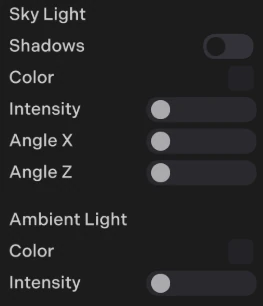
You can find Sky and Ambient light settings in: Edit->Scene Settings
Ambient Occlusion
To enable ambient occlusion, open the scene settings in the scene panel and use the A.O. slider.
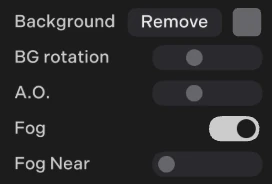
Uva uses an AO method similar to Distance Field Ambient Occlusion (DFAO). This is run in a forward renderer (no post processing) and typically has less than 10% of the overhead of SSAO for mobile GPU architectures. It is in world space so can be used for VR. It is generally more accurate than SSAO for medium-large scale occlusion, however it is not as well suited for fine detail, dynamic occlusion.
js
// Object does not generate AO, good for highly dynamic objects
object.ao = 0.0;
//  less AO
object.ao = 0.5;
Reflections and global illumuniation
You can modify how reflective and rough a surface is in the material panel:
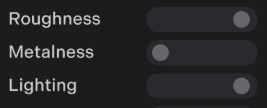
For approximate global illumination use a low metalness and high roughness, and for sharp reflections use a higher metalness and lower roughness. You can also use the lighting slider to interpolate between flat shading (no lights) to standard PBR lighting.
Reflection Probes
To add a reflections go to: Edit-> + (add an object) -> Reflection probe.
Spherical projection
This works best for open spaces for curved surfaces and uses standard cubemaps.
Box projection
This is best suited for enclosed box-like spaces such as interiors. To setup a box reflection expand the box area to fit the dimensions of the space. When working well this can look close to realtime ray-tracing where reflections allign correctly within the world space. Box projections also have depth allignment so in VR you will perceive the depth of the reflection!
Updating probes
js
reflectionProbe.updateProbe(); // update a probe at runtime